The TikTok & IG email extractor
Open any TikTok or Instagram creator profile and lift every contact email out of their bio in one click. Bulk export to CSV — runs locally on TikTok.
Free to install · No sign-up required · Works in your browser
How it works
Open a search or hashtag page
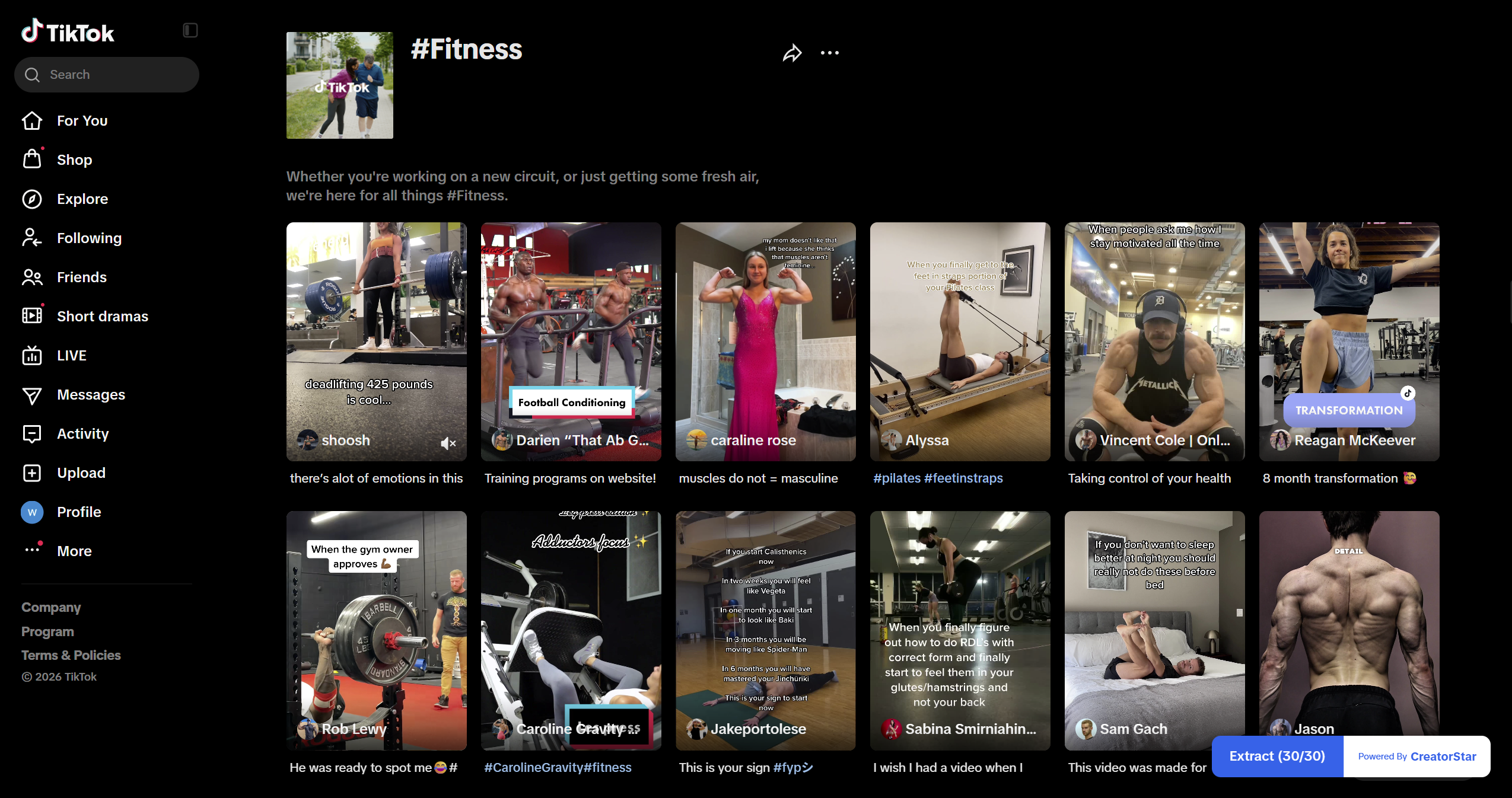
On TikTok, any search, hashtag or Explore page. On Instagram, click the extension icon and pick a fan-range band plus a keyword.
Click Extract or Search
On TikTok the floating button walks every matching profile and lifts the bio email — including [at] / [@] obfuscation. On Instagram, Search returns masked emails and Unlock reveals the address.
Filter, sort and export to CSV
Filter by handle, sort by followers, copy a single email or export the whole batch — handle, platform, fans, source URL and notes. UTF-8 BOM, opens cleanly in Excel.
Hands-off extraction on every profile
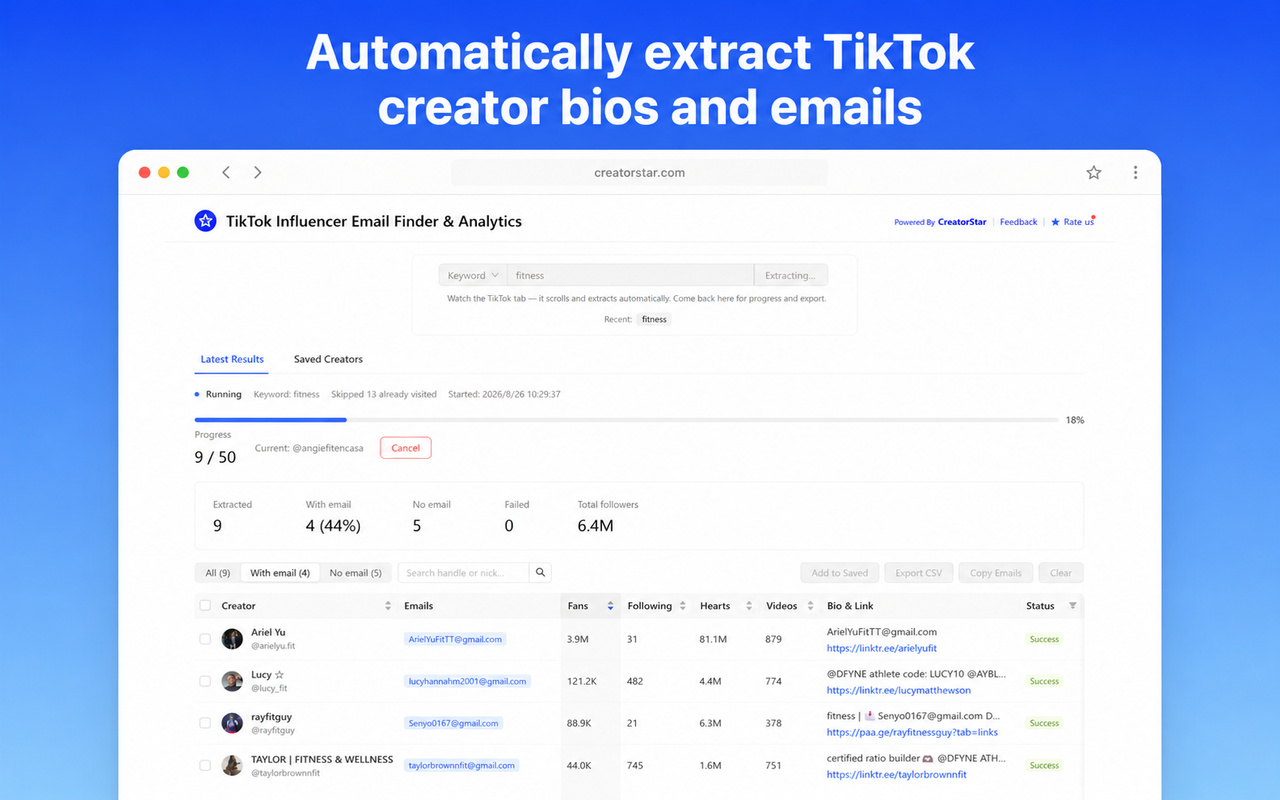
Open the extension, type a keyword, switch to your TikTok tab. The extension flips through matching profiles on its own and lifts every email it can see in the bio into a sortable table.
- Keyword-driven scans — pick a niche (fitness, beauty, gaming) and the extension walks the matching profiles for you.
- Live progress + skip-already-visited — see how far the run is and which creators were skipped because you already have their email.
- Auto-rewrites [at] / [@] obfuscation — common patterns like name[at]domain.com are turned into a real, clickable email.
- TikTok extraction is free — no credits, no quota, no sign-up. Every TikTok email extracted and exported stays free.
Filter by fan range, unlock in bulk
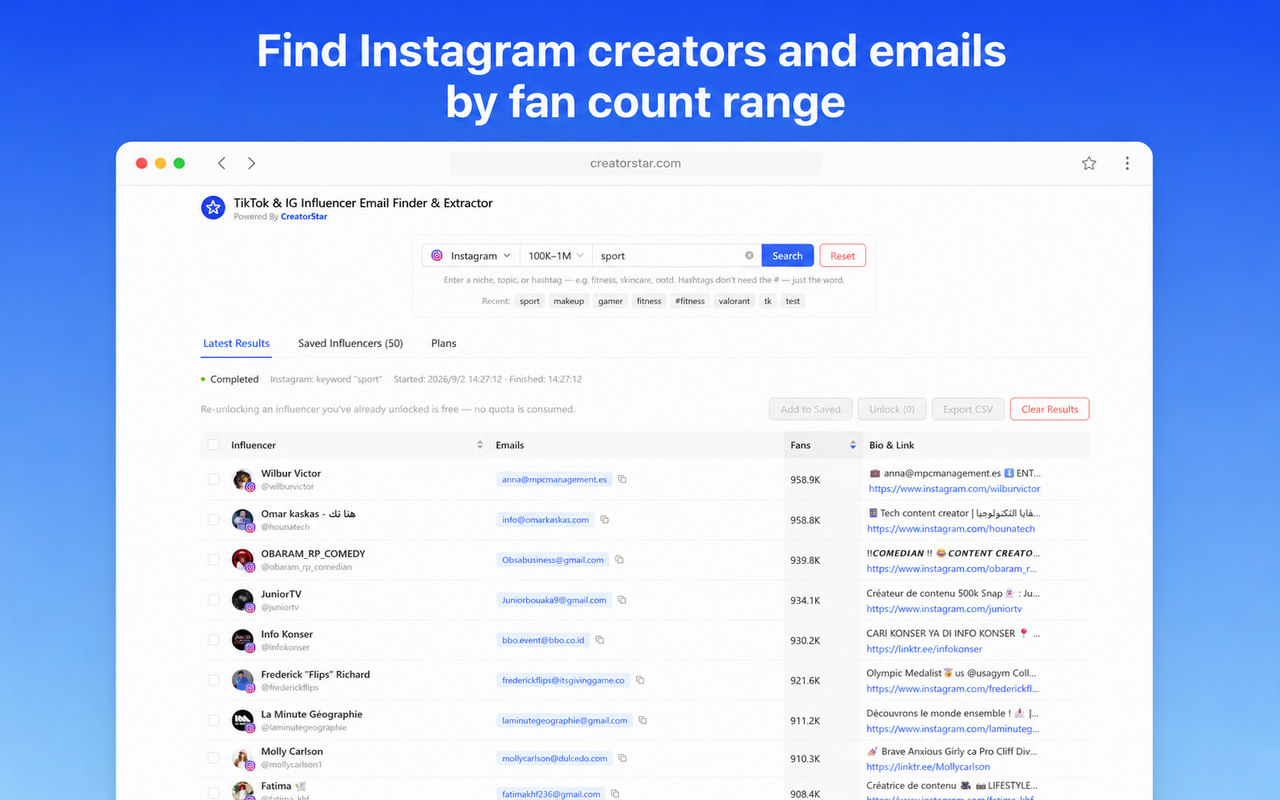
Pick a platform, a fan-count range, and a niche. Instagram returns creators that match, and the extension reveals the obfuscated emails in the bio one credit at a time.
- Fan-range search — from 1K up to 1M+, target the slice of Instagram that matches your campaign tier.
- Bulk unlock with one click — select the rows you care about and reveal them all in a single action.
- Re-unlocking is free — already-unlocked creators consume zero credits on later runs.
- Pay-as-you-go pricing — buy credits once and use them across runs. Credits never expire.
Lift emails the moment you open a profile
The Email Extractor injects a small floating button directly on TikTok and Instagram profile pages. Click it once and every contact email in the bio is pulled into a list — including patterns written as name[at]domain.com to hide from spam bots.
- Reads the bio you can already see — no third-party bio API in the loop, only what creators put on their profile.
- Identical flow on both platforms — the floating button shows up on any @handle page, TikTok and Instagram alike.
- Silent overlay while you switch profiles — a subtle loading mask prevents the white flash when you jump from one creator to the next.
TikTok email extractor, explained
How the extension finds emails, what it costs, and how to stay compliant.
What does the TikTok Email Extractor do?
It opens directly on TikTok and Instagram creator profile pages and scans each bio for contact emails. On TikTok, extraction is free and runs locally in your browser — no login required. On Instagram, public profiles can be scanned for free, while revealing the email when only an obfuscated form (e.g. name[at]domain.com) is shown uses one credit per reveal.
Does it really run locally?
Yes. The extension reads the DOM of the profile you're already viewing — there is no third-party bio API in the loop. For TikTok creators, the email is already visible on the profile page; the extension just lifts it into a list. For Instagram, you choose when to spend a credit on a reveal.
How does it handle [at] or [@] obfuscation?
Many creators write the @ sign as the words "at" or "[at]" (e.g. name[at]domain.com, name[@]domain.com) to hide their email from spam bots. The extension detects these patterns and rewrites them into a real, clickable email address automatically.
Can I export the results?
Yes. After extraction you can copy a single email, copy a row, or export the entire batch as a CSV with one click. The CSV includes handle, platform, email, and any notes you added, ready to drop into your outreach tool.
Is it compliant with TikTok / Instagram ToS?
The extension only reads data that is already publicly visible on a creator's profile page, in the same way your browser does when you view it. It does not bypass any login, paywall, or anti-bot measure. You are responsible for how you use the extracted contact data — always respect each platform's terms and applicable privacy laws (GDPR, CAN-SPAM, etc.).
Explore the full toolkit
TikTok Engagement Calculator
Look up any TikTok creator's engagement rate, average views, audience demographics and estimated price — just enter a username.
Open toolCPM Calculator
Calculate cost per mille (CPM) for influencer campaigns — enter any two of cost, impressions, or CPM and solve the third instantly.
Open toolInfluencer Pricing Calculator
Estimate what to pay a creator per post, Reel, Story, or video based on platform, follower tier, and engagement rate.
Open toolExtract creator emails in bulk — straight from your browser
Install the Email Extractor and pull every contact email from any TikTok or Instagram profile you open. TikTok runs locally; IG reveals use credits. CSV export.
Free to install · Works locally on TikTok · IG reveals cost credits